
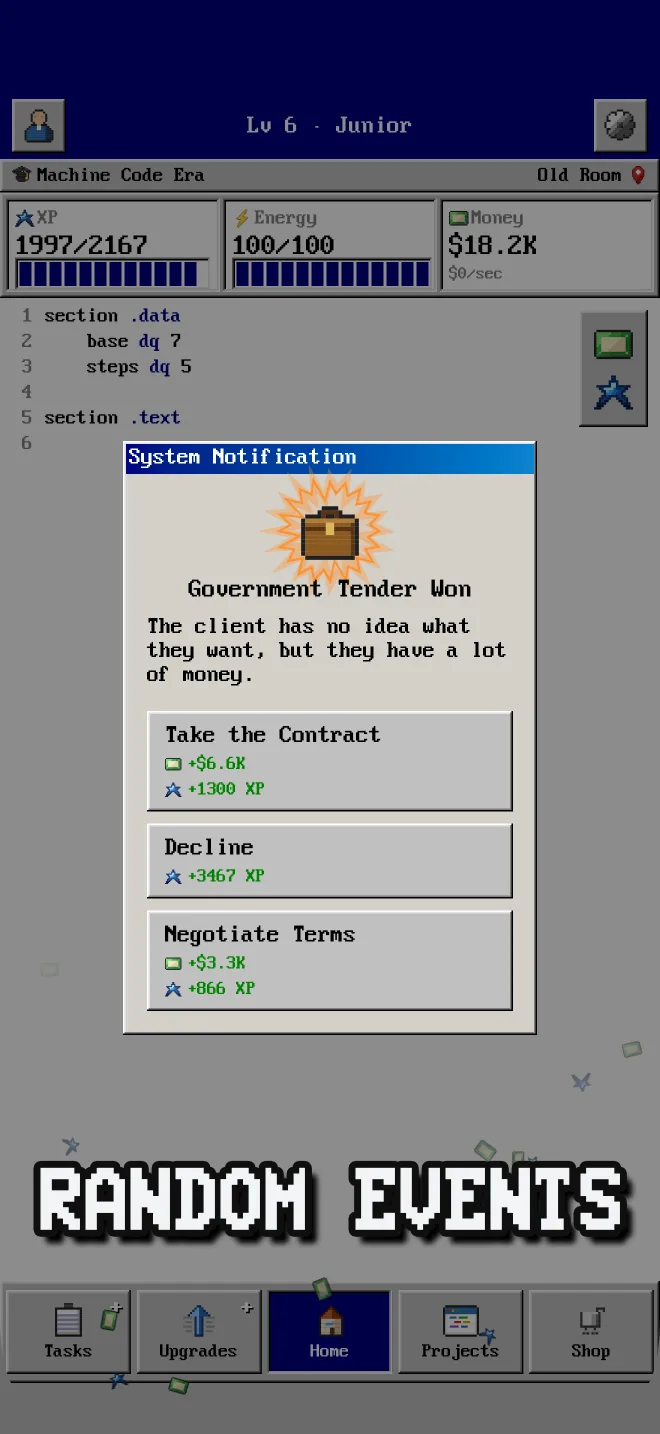
Two months ago, WinCode 98 was a note on my phone. Today it's a finished idle game on the iOS App Store — five historical eras of programming, 300+ upgrades, 25 skills, 13 languages, projects, random events, and a full Windows 98-style interface. I built it alone, in the evenings, next to a full-time job.
The honest answer to "how" has two parts: three years of professional mobile development experience, and Claude Code doing the heavy lifting. One thing up front, though: the idea and the concept of the game are entirely mine. AI didn't design WinCode 98 — it was a tool for writing code, the way an IDE or a framework is a tool, just a dramatically faster one. This post is the breakdown of both — what I designed myself, what I delegated to AI, where it was brilliant, and where it confidently wasted my time.

Why a Programming Idle Game?
I'm a programmer by education and a mobile developer by trade, so the theme picked itself: a clicker where you live through the history of programming, from 1940s punch cards to the modern AI & Cloud era. When I searched the App Store, I found farming clickers, mining clickers, restaurant clickers — but no good idle game about programming itself. That gap was the green light.
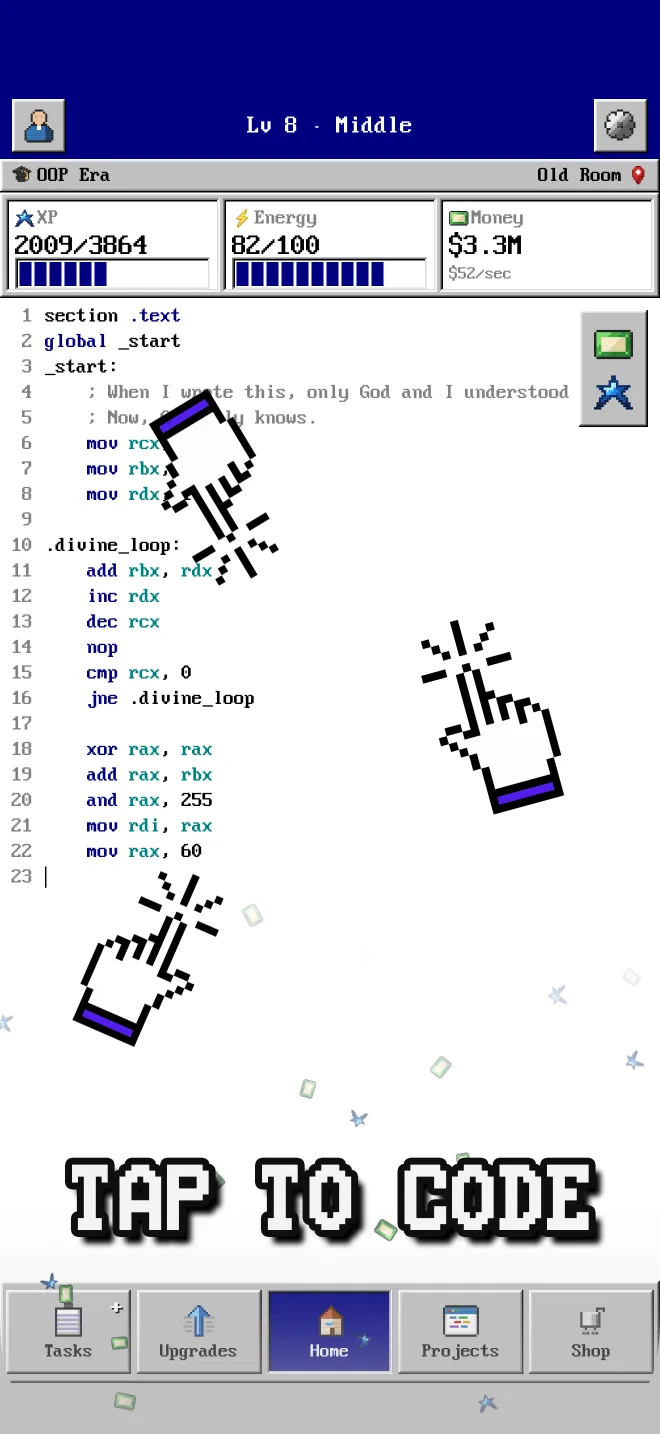
An idle game was also the right scope for a first solo release. The genre lives or dies on numbers and pacing, not on animation-heavy content — which means one person with taste and a calculator can realistically compete. The concept fits in one sentence: you tap to write code, code earns money and XP, and both feed a growing web of upgrades, skills, languages, and workspaces.
Three Problems That Almost Broke the Game
The design document survived first contact with a real build for about a day. Three problems in particular forced actual redesigns — and each one taught me more than any tutorial could.
Problem 1: Money Stopped Meaning Anything
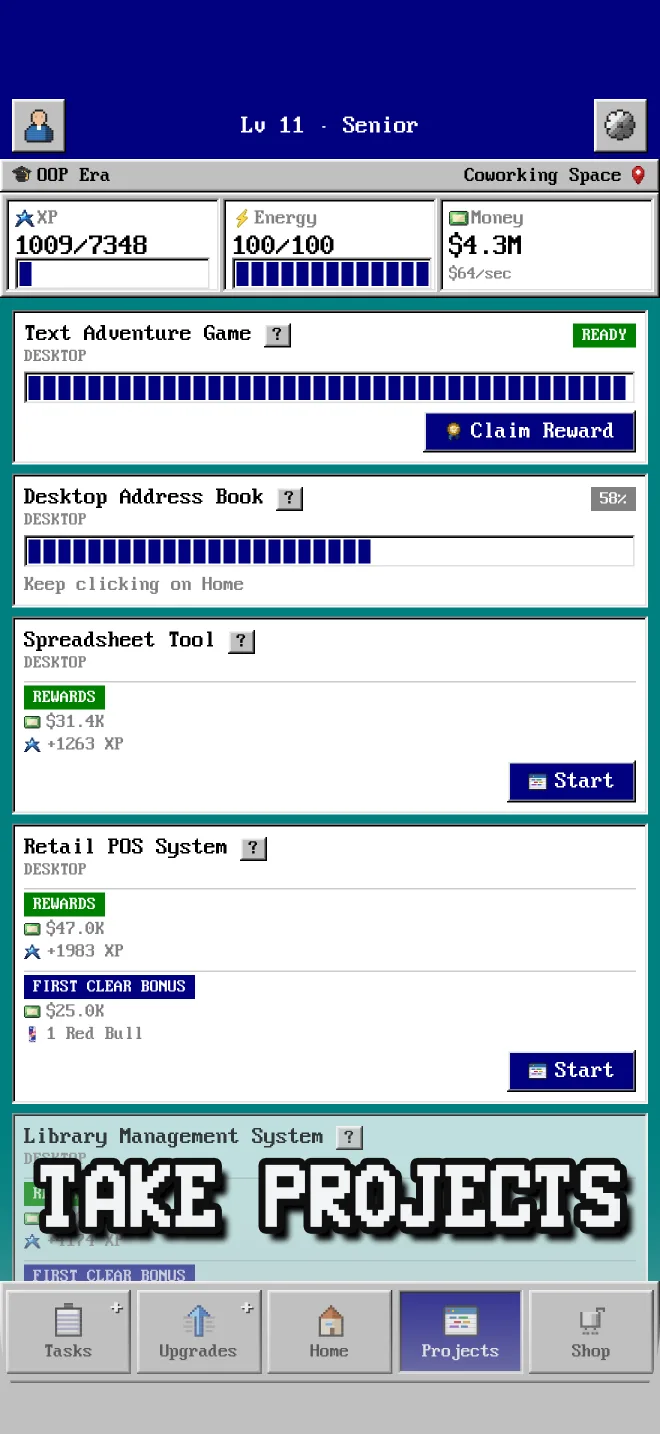
In the first playable version, projects paid out far too much. Two or three completed projects and you could afford every upgrade on the screen — the numbers went up, but choice disappeared, and with it the entire point of an economy. Money had lost its value.
The fix was not just cutting rewards. Repeat completions of a project now sit on their own curve: each repeat pays more but also gets harder, with reward outpacing difficulty roughly 2:1 — grinding a favorite project stays profitable, but with diminishing returns per click. And upgrade prices got a curve that is mathematically guaranteed to outrun income growth (more on that below). The lesson: in an idle game, inflation is not a bug you patch once — it's a force you design against everywhere.
Problem 2: The Phone Ran Hot
The first build was pure SwiftUI — interface, floating income numbers, click effects, every animation. SwiftUI is fantastic for the interface, but it was never meant to be a particle engine: dozens of animated views spawning per second sent CPU usage through the roof, and my test device got noticeably warm after a few minutes of tapping.
The solution was to split the responsibilities: SwiftUI keeps drawing the windows, buttons, and menus, while the animation layer moved to SpriteKit — Apple's 2D game framework, embedded straight into the SwiftUI hierarchy. Floating numbers and click effects became sprites in a single scene instead of a swarm of short-lived views. CPU usage dropped sharply, the heat was gone, and the interface code didn't change at all. If you're building anything animation-heavy in SwiftUI, this hybrid is the escape hatch.
Problem 3: The Game Had No Goal
The third problem was quieter but more dangerous: after the first hour, the game had nothing to aim at. Numbers grew, upgrades unlocked, and none of it led anywhere — the classic idle-game death spiral where the player stops because there's no next thing.
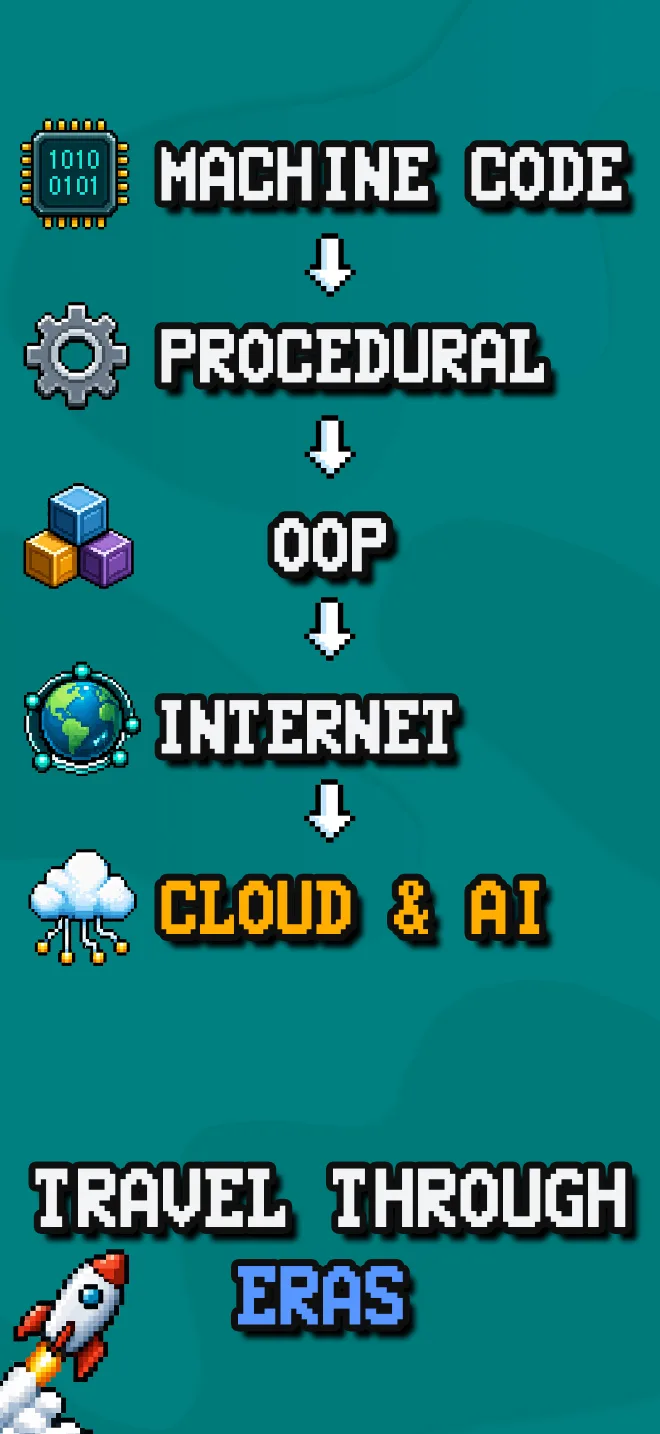
The answer became the backbone of the whole game: five technological eras — Machine Code, Procedural, OOP, Internet, and Cloud & AI — that the player advances through over the entire playthrough. Each era has its own unique upgrades and projects, so entering a new one genuinely changes what you're doing, and finishing an era grants a permanent compounding bonus that carries into everything after it. The eras gave the game a destination: the player always knows where they are in the history of programming, and what comes next.
Balancing an Economy Where Everything Multiplies
Balancing is where idle games are secretly hard. In WinCode 98, upgrades, skills, languages, locations, era bonuses, and timed boosts all stack multiplicatively — which is great for that snowball feeling and terrifying for the person tuning the numbers. The economy ended up resting on three families of pricing curves, each one shaped by a specific failure mode.
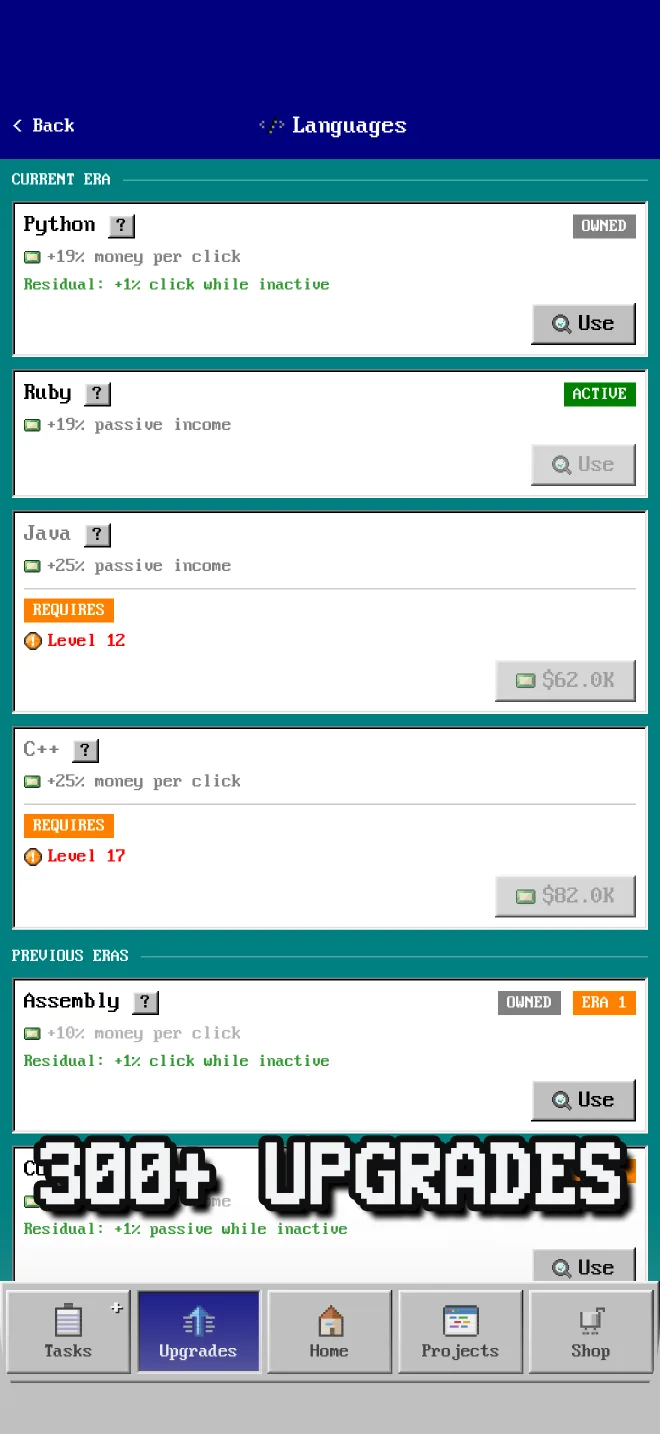
1. Upgrade and skill prices: exponential with a quadratic accelerator. The formula is price(n) = base × 1.12ⁿ × 1.0005^(n²) — skills use 1.15 instead of 1.12. The first factor is the classic incremental-game exponential. The second looks like noise, but it compounds on n², so the growth rate itself rises with level: invisible at level 5, ×1.2 at level 20, ×3.5 at level 50. Why bother? Because a pure exponential eventually loses. Stacked multiplicative income bonuses grow faster than any fixed rate, and a late-game player would buy every level instantly. The quadratic term guarantees the price curve always overtakes income — a built-in soft cap with no hard wall. On a log scale you can see exactly what the accelerator does: a pure exponential is a straight line, and the real curve quietly bends away from it.
2. Shop consumables: linear, priced in clicks. Every consumable scales with current income: price = base × income per click. Not exponential at all — deliberately. Coffee always costs about 45 clicks of effort whether a click earns $2 or $2M, so the shop stays relevant at every stage without ever being retuned. And every energy item restores fewer clicks than it costs — Coffee is 45 clicks paid for 30 restored — because the reverse would be a free-money loop of buy, click, rebuy.
3. XP requirements: quadratic, deliberately gentler. Leveling follows XP(level) = 60 × level² with a tiny accelerator that only bites near the level cap. Wealth explodes exponentially, but levels must stay achievable — pace progression on the same curve as prices and the player stalls; pace it quadratically and every session still ends with visible progress. The chart below shows the exponential alternative I rejected, tuned to reach the same level-20 cap: the total grind is identical, but the exponential curve hides almost all of it in the last few levels — early levels fly by, then the player hits a wall.
Two more rules keep the multiplication under control:
- Inactive things stay 10% alive. One language and one location are active at a time, but everything mastered keeps 10% of its bonus. Switching is a decision, not a punishment.
- The endgame brakes itself. Two infinite upgrades: price grows 12% per level, the bonus only 5% — a soft brake that keeps money meaningful after max level.
This, by the way, is the part AI helped with least. Claude Code can generate a plausible-looking cost formula in seconds, but it has no idea whether minute 40 of your game feels boring. The curves above came from playing my own build every evening and moving numbers by hand.
Vibe Coding a Game with Claude Code: My Actual Workflow
The workflow that emerged after the first couple of weeks looked like this:
- I owned the design. Every mechanic, formula, and screen started as my written spec — Claude Code never decided what the game is. Features went from my design document into prompts.
- Claude Code wrote the first draft of almost everything. UI layout, the save system, the upgrade data model, the event scheduler, offline income — I described the behavior, it produced working code far faster than I could type it.
- ChatGPT drew the pixel art. The era icons, item art, and event illustrations are AI-generated too. Claude Code handled the code, ChatGPT handled the pixels — a two-AI production with one human directing both.
- I reviewed like it was a junior's pull request. This is where the 3+ years of mobile development mattered. AI code compiles and usually works — but it duplicates state, misses lifecycle edge cases, and over-engineers simple things.
- Iterations were brutally short. Describe, generate, run on device, correct. A feature that used to be a weekend became an evening.
Call it vibe coding if you like — most of the code was AI-written, and I steered by describing behavior, not syntax. But it was vibe coding with a code review: nothing shipped that a human hadn't read. That one habit is, I suspect, the difference between the vibe-coded games that work and the ones that fall apart at the first edge case.
And the toolchain keeps moving. Anthropic's new Fable model landed just as I was working on monetization, and the newest feature in the game — optional rewarded ads that double a reward bonus, the only monetization WinCode 98 has — was my first feature built with it. Same describe–generate–review loop; the workflow survived the model swap unchanged.
Ads That Ask Permission First
Monetization was the feature I dreaded most, because idle games have a terrible reputation here: interstitials between screens, banners eating the layout, forced videos mid-session. I picked AdMob as the network — it's Google's, the most popular option on mobile, with the best fill rates and documentation — but the network was the easy decision. The hard one was where ads would live.
The rule I landed on: the game never shows an ad on its own. No banners, no interstitials, nothing interrupts play. Every ad in WinCode 98 is a rewarded video the player chooses to watch — double your offline income, double a project payout, get three minutes of infinite energy. Ignore them all and nothing is taken from you; the game is fully playable, start to finish, without watching a single one. Choose to watch and the ad feels like a bonus, not a toll.
Getting that to work took real balancing effort. Every placement has a cooldown or a per-session limit, and the rewards are tuned so they never replace in-game purchases — infinite energy is short and rate-limited precisely so Coffee and Red Bull stay relevant. The result is the compromise I wanted: players play in peace, the bonuses feel generous, and the game still earns something.
What Two Months Actually Looked Like
Roughly: the first weeks went to the core loop and the Win98 interface, the middle stretch to content — five eras, the upgrade tree, skills, languages, locations, projects, random events — and the final weeks almost entirely to balancing, polish, and App Store preparation. The classic trap of a solo project is an endless middle; a hard two-month deadline and an AI assistant that kills boilerplate time are what kept the middle short.
Should You Build a Game with AI?
If you can already read code — yes, without hesitation. AI multiplies an engineer; it doesn't substitute for one. The idea, the design document, the balancing, and the code review stayed 100% human. Everything else got dramatically faster.
WinCode 98 is free on iOS — no banners, no interstitials, only optional rewarded ads you choose to watch. If you're a programmer, or you just miss grey windows and pixel buttons, go walk the path from machine code to the AI & Cloud era. And if you're a developer thinking about your own game: the barrier has never been lower. Two months. Evenings. One person.